Attendance Follow-up · for NYC schools and community school partners
Attendance follow-up, kept simple.
BrainBridge helps New York City schools and community school partners follow up with families when students miss school.
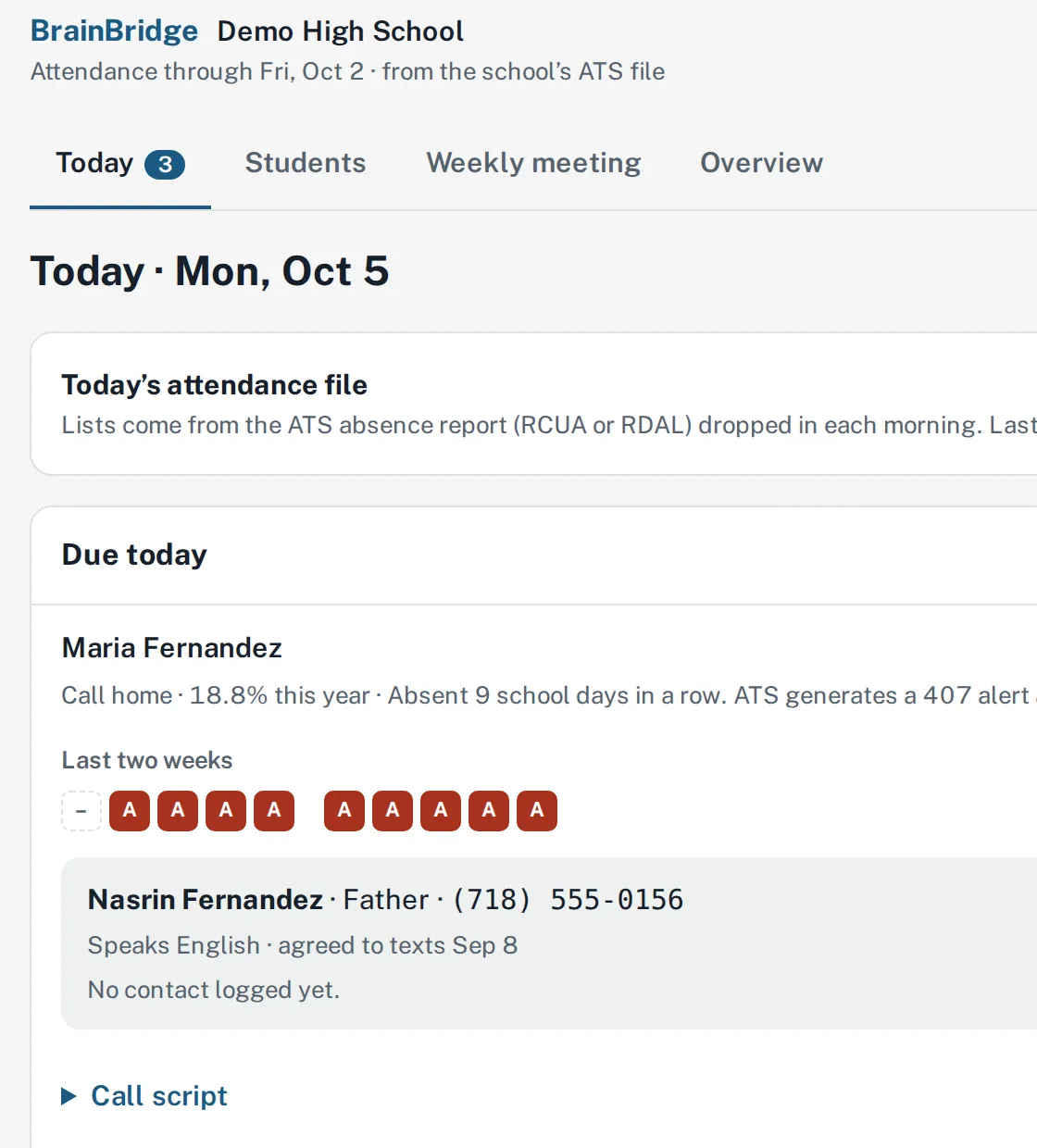
What it does
Built for attendance teams, counselors and family workers at New York City public schools, and the community-based organizations that partner with them.
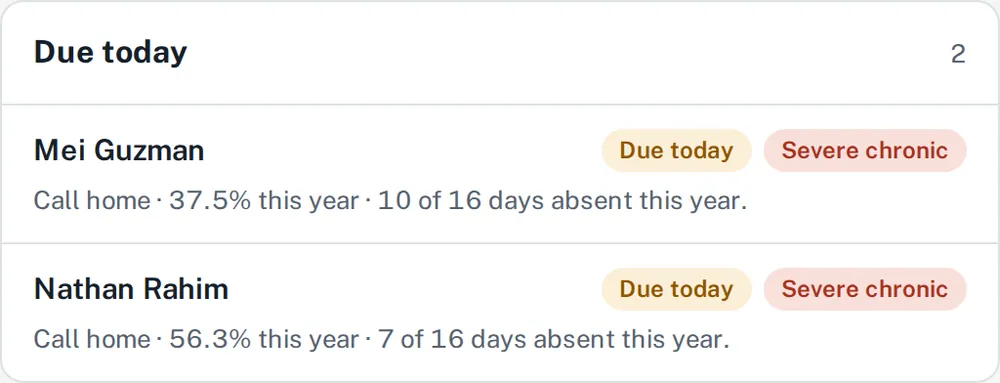
A daily follow-up list
Each morning, every staff member sees which students to check on and what has already been tried.
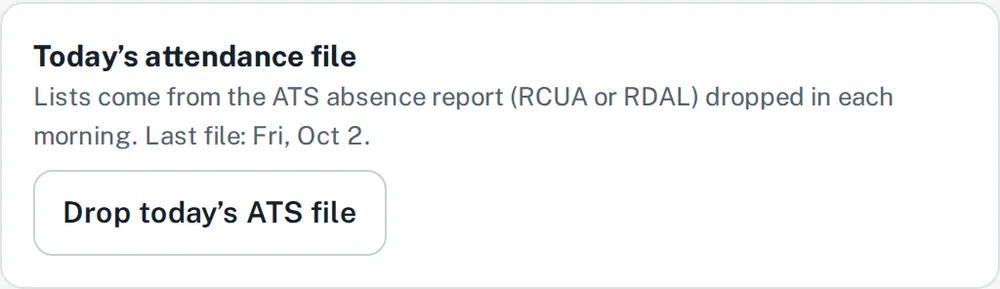
ATS file in, lists out
Drop in the morning ATS absence report and everyone’s follow-up list is ready.
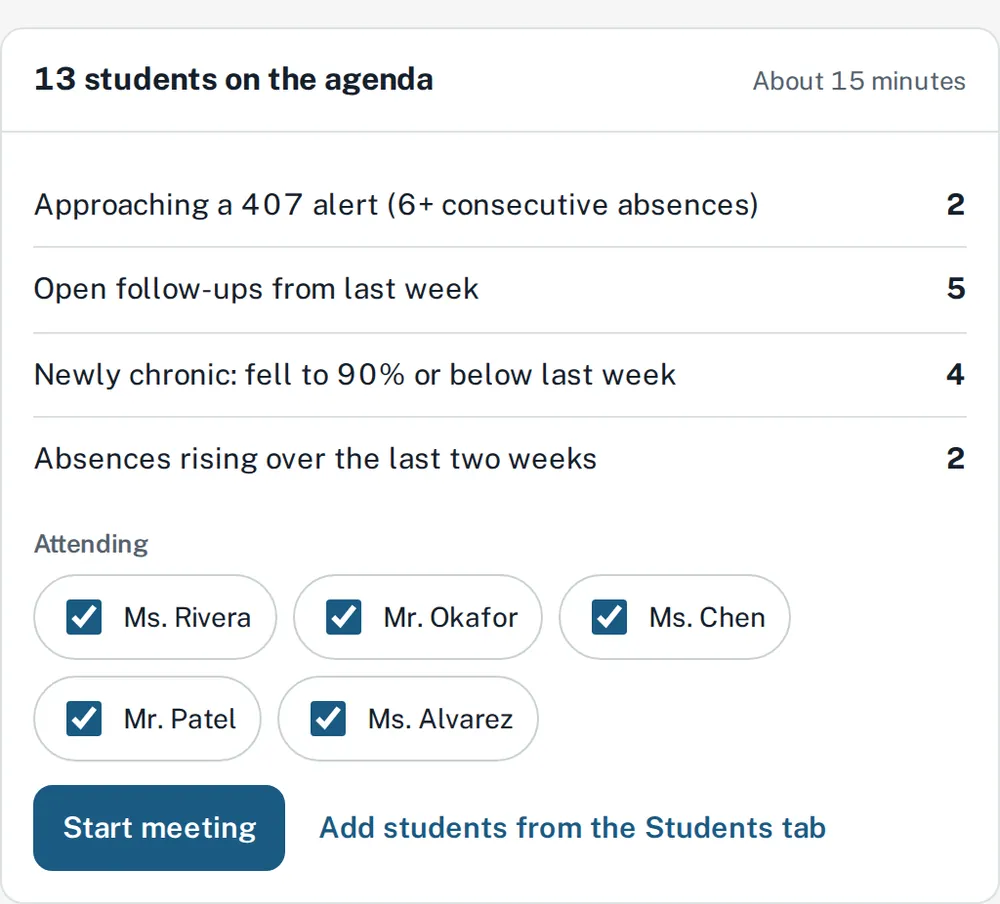
The weekly meeting agenda builds itself
Built from last week’s data, with an owner and a due date for every next step.
Texts from each staff member’s own line
Families reply to the person who wrote to them, and every conversation is logged.
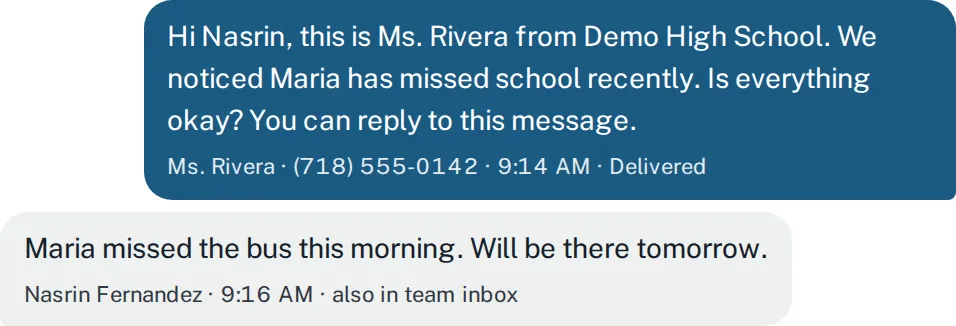
One click to the ILOG entry
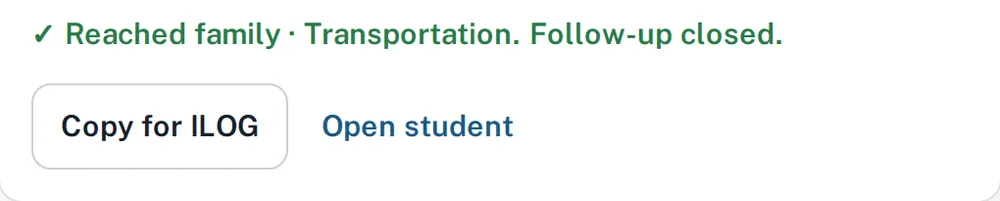
Each logged contact has a Copy for ILOG button with the date, outcome and reason.
Aligned with Chancellor’s Regulation A-210
See what A-210 requires and where each requirement happens in BrainBridge.
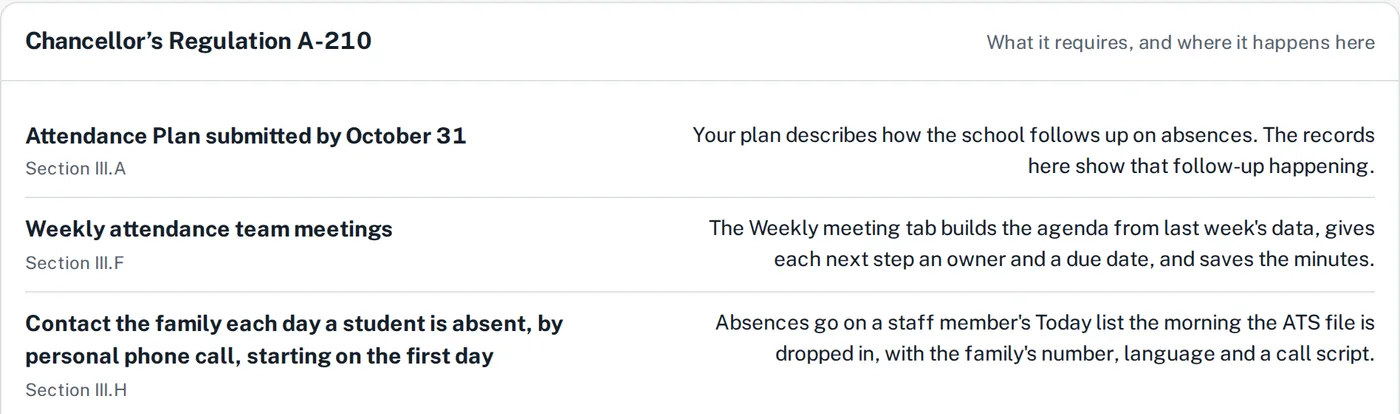

All screens show sample data. No real students.
How it works
Three steps, every week.
Step 1: Drop the ATS file
Each morning, drop in the ATS absence report (RCUA or RDAL). Every staff member’s follow-up list is ready.
Step 2: Work the list
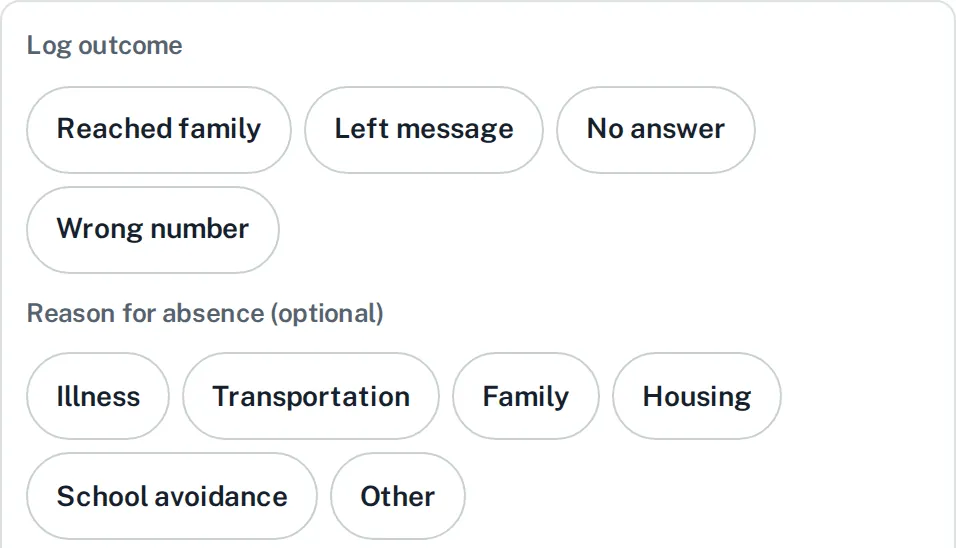
Call or text families from your own school line, then log what happened in a tap.
Step 3: Meet weekly
The agenda builds itself from last week’s data, and every next step gets an owner and a due date.

Built to be trusted with student data.
Read our security practices →Stored in the United States
All customer data stays in the US.
Encrypted everywhere
In transit with TLS and at rest.
Only what you’re assigned
Staff see only their schools, programs and students.
A person presses send
Nothing goes to a family without a staff member.
Never sold
No selling, no advertising, no marketing profiles.
See it for your school.
We’re based in New York City. Write to us and we’ll set up a short walkthrough, or open the demo with sample data now.